Category: Networking

  • The Sound of Music

    The Sound of Music

    Recently Google, or more specifically the Chrome team, removed the ability for the Backspace key to go back a page in Chrome. This proved to be the final shot in the ground war Chrome has been fighting with their most enthusiastic users. They removed this functionality by default with no way to restore it. No flags. No options. There were quickly third party extensions to restore functionality, but I was incensed and did not see why I needed to add an extension to make my browser do something that browsers and other software (including Windows File Explorer) have done for the better part of 20 years.

    Time for a new browser.

    I used to be a fan of Firefox and keep it installed for emergencies, but have not liked the direction that they have gone. Edge and Explorer are out of the question. Opera…intriguing, but not quite there.

    What is left? Vivaldi. I had tested Vivaldi when it went public. It was rough, but reminded me of the hay day of Firefox when you got just the right plug-ins. A little bit of trivia…Vivaldi is founded by one of the founders of Opera. So I decided to dive right in and live with it as my daily driver.

    After reminding my self that it had intrigued me so I realized that Vivaldi seemed to answer all of my qualms with Chrome while bringing along Chrome’s renderer and extension library. The only piece of functionality I lost by switching to Vivaldi was syncing bookmarks. This was easily solved with XMarks. And don’t try ti argue that I am a hypocrite by using an extension for bookmark sync, but refusing to use one fore Backspace in Chrome. Bookmark sync is a relatively new notion in browsers and in my mind is not a core feature. And it is handled well with extensions. Also, sync is on the list for the devs and it will come in time. Backspace had been around for two decades (maybe even longer…I am just counting the usage I have direct knowledge of). And Chrome has no keyboard shortcut options built in…at all. You use it exactly as the devs say you are to use it. I have grown tired of that mentality from Google.

    Vivaldi on the other hand has very thorough keyboard shortcut options. You can assign just about whatever command to just about whatever UI element you please. And it is easy to use. Vivaldi also bundles in a ton of functions that one used to have to pile on with extensions. I could go on for hours about all the little things Vivaldi allows that Chrome just plain doesn’t or requires extensions for, but I wont.

    Sufficed to say, I have been using Vivaldi on all my machines since the day of Backspace-gate and I have not looked back.

    Disclaimer…not that I need it: I have not been paid or endorsed in anyway by Vivaldi. I am just a fan whose love of their product is exacerbated by my mistreatment at the hands of their competition.

    Update 2017-04-29: I have since started exporting my actually bookmarks file from AppData to sync my bookmarks from work via DropBox. X-Marks was making a huge mess of things as it was not designed explicitly for Vivaldi and was assuming Chrome’s Bookmark architecture. All this may seem cumbersome to most, but my bookmarks change very rarely as I tend to document most project related links in OneNote or Keep.

    Update 2020-04-28: Even though Vivaldi now has bookmark sync and a mobile solution, eventually moved to Firefox and use it on all platforms. I still suggest you give it a spin and there are still some things I prefer in Vivaldi, but Firefox seems to be getting the job done. Though there are some recent UI elements that Firefox has pushed without the ability to disable that might drive me to give Vivaldi another chance. Chrome is still a bloated piece of shit that can’t get out of its own way.
  • From Test-bed to Data-dump

    From Test-bed to Data-dump

    In preparation for testing Windows 10 Betas last year I built a tester rig that was equipped enough to morph into a primary rig for someone or server of some type.

    • Intel Pentium G3258 (Unlocked Anniversary Edition)
    • ASRock Z97M-ITX/AC
    • 8GB DDR3 @ 1600MHz (2x4GB sticks)
    • ADATA SP600 128GB SSD
    • SeaSonic SSR450RM PSU
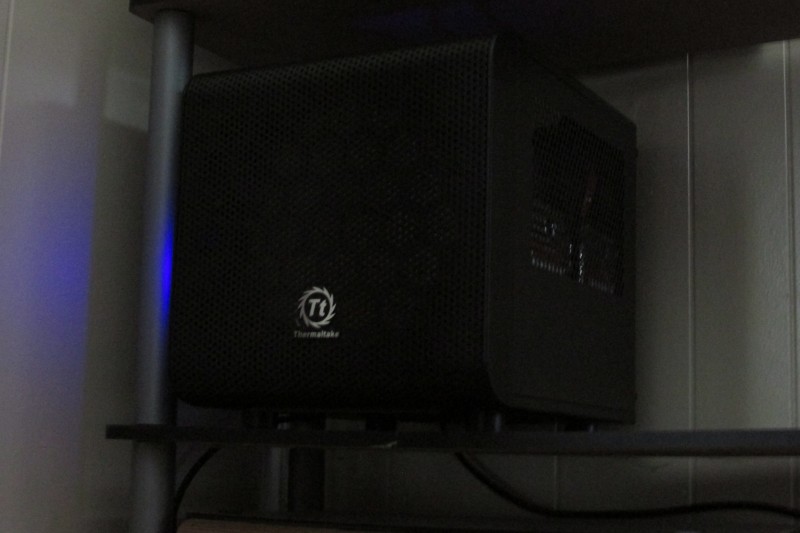
    • Thermaltake Core V1 Mini-ITX case

    Sure I could have just used visualization to test Windows 10, but I really wanted to see how it behaved when properly installed on dedicated hardware. And I wanted an excuse to buy more hardware. I did have some ideas for it’s implementation as a guest gaming rig or NAS or even selling it to a particular family member who never seems to want to pull the trigger on re-joining the PC Masterrace.

    Time to move on

    Well It has been a year and Windows 10 has officially rolled out. So the need for a test rig has passed. I could keep in on Fast-Ring builds and toy with them, but I really wanted the hardware put to better use.

    My need for real, dedicated local storage recently saw a sharp increase due to a few factors:

    • I am now re-ripping my music library to FLAC and would like have some redundancy in their storage.
    • I have subscribed to ITPro.tv and am able to download their lessons. I need more room for those if I plan to keep them for posterity.
    • I had my storage drive in my main rig fail. Which woke me up to pitiful state of my back-up strategy for a person as knowledgeable as I am.

    Shark-bit

    I have shopped around for NAS’s on and off for a long time now, but never could bring myself to pull the trigger. Each of the major machines in my house have large storage drives and the most important, not easily replaceable data is duplicated either by hand (for static data like ISOs) or through SyncToy (for dynamic data like game server back-ups). My personal data us handled by Jungledisk as a previous post details. But my need for a large amount of storage and fear of these drives failing escalated recently so I started looking really hard at my options. With the TestCore being freed up, I started leaning really hard toward turning into a storage box.

    And the best option I knew of for such a task was FreeNAS. I have actually played with FreeNAS in the past on a netbook. Just to see what it was all about. I had seen it mentioned quite a lot around the web, but it came to my attention for real when a large update to it making more n00b friendly had it being featured in many blogs and podcasts I frequent some time last year.

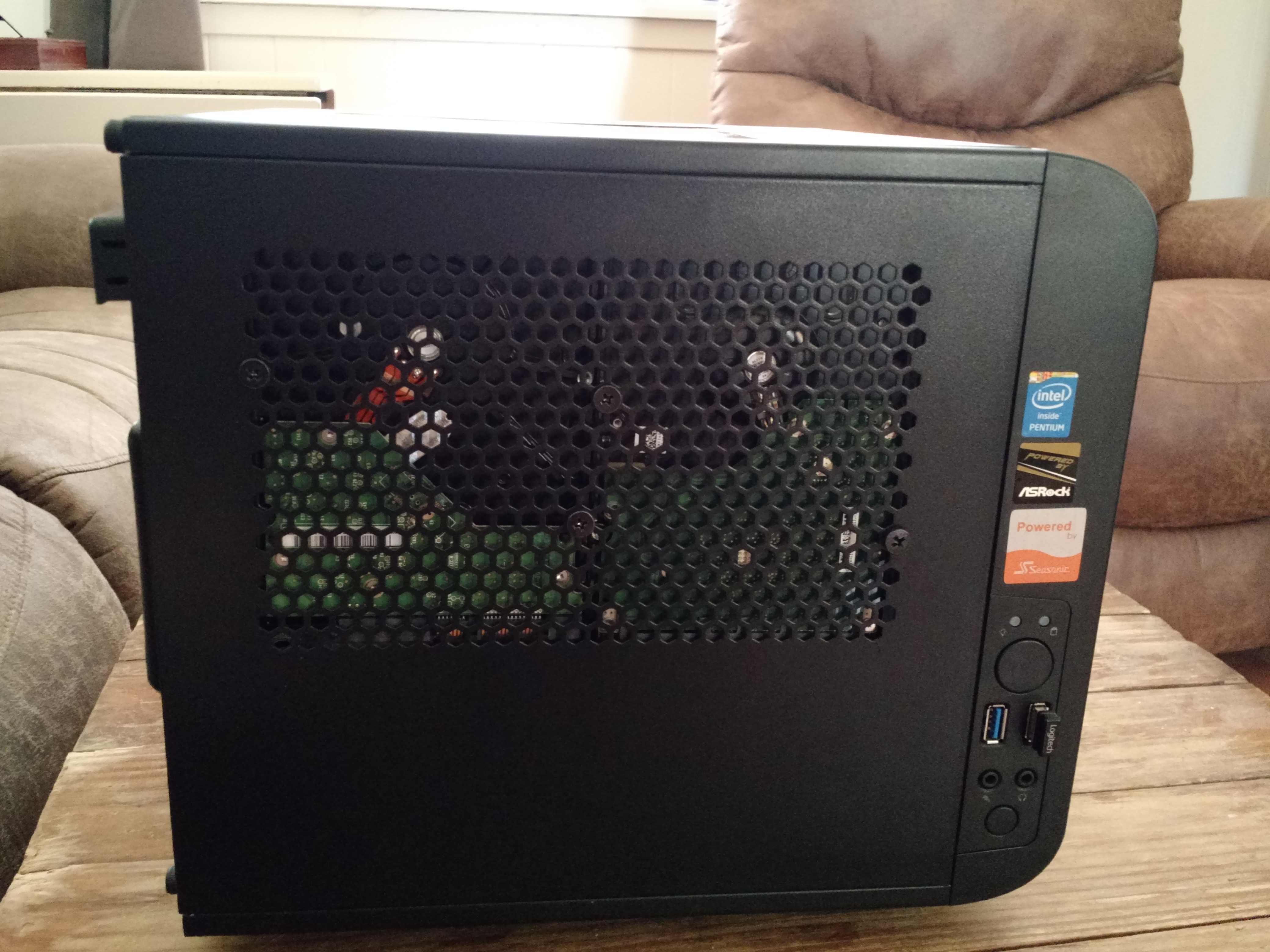
    So in light of recent events, I turned to it again. Got it installed and tested things out with the SSD I had in the box already. Everything worked marvelously. I just had one issue…The Thermaltake Core V1 is not a NAS enclosure. It has 2 3.5″ HDD mounts. A little Google-fu and I was lucky enough to discover the crew at HDCP unlocked some hidden flexibility of the Core V1 by mounting drives to the vent holes on the side panels. I was able to cram 4 3.5″ HDD’s and the SSD into that little case while still keeping my Cooler Master TX3 tower cooler. Due to large 200mm intake fan and relatively beefy CPU cooler it runs really quiet. Am running the case fan at a normal curve and the CPU on a silent curve as it won’t be all that busy and is currently not overclocked.

    Crowded yet cool interior.
    Crowded yet cool interior.
    A test fit of the hack with 2 random drives.
    A test fit of the hack with 2 random drives.

    I am technically not where FreeNAS likes you to be with my hardware. With my 12TB of storage they would prefer 12GB of RAM and ECC at that. I have regular non-error checking RAM and only 8GB of it. I am running the drives at ZFS level 2 so I can lose two drives. All that said I am not seeing any detriment to performance and with this box serving more as cold-to-warm storage I don’t think it will be too unhappy in the long run. I also have email alerts set up so I will actually know when things are wrong. Also got it set up on my pfSense box after setting up an account via this domain for them to use. And I do have it on a UPS (ZFS golden rule).

    After a delightful mix of need, inspiration, knowledge and ingenuity I have gotten a rather decent little NAS put together. It has been in 24/7 service a a little over a week at this point. And was in a couple weeks of testing prior to that. I have also been playing with jails and cementing my FreeBSD skills. I am familiar enough with it from my previous Linux experience and from playing around with the it in virtual machines a time or two. I also have some real experience with it in the form of my pfSense box which also runs on FreeBSD.

    And after all this I have some advice. Use FreeNAS wizards! They are there for a reason. I followed a myriad of tutorials on properly setting up CIFS(Windows) shares and they all had a mix of what was and wasn’t required and none of them allowed me to reliable access the share. I finally blew thing away and used the wizard and access has been seamless. Similar to certain tasks on the Sonicwalls at my job. Yeah, you can go change the 6 things there are to change to open a port and slam your head on the desk when it doesn’t work…or you can use the wizard have it actually work.

  • Update: DIY Router/Firewall Project

    Update: DIY Router/Firewall Project


    Too Good to be True

    The whole ‘two machines in one box’ didn’t pan out in the long run. Not that it isn’t perfectly possible; just not on the sparse hardware I attempted to do it on. After a round of updates to both VirtualBox and Windows the network bridging voodoo failed and I could not get it working again. The BlackBox continued to serve as an always on file server and remote access box (mostly to start big downloads from work, Steam and ISOs).

    I was relegated to a Netgear WNDR3400 which eventually received an experimental DD-WRT install which solved a few of the issues I had with it. However, my patience worth thin with the horrible WiFi performance I got out of it and I retired it. It saw a spot of use as a client bridge. In the iterim I had replace my ailling Speedstream 4200 DSL modem with Windstream’s Segemcom F@st1704 modem-router combo (or RoMo as I have tried to term the devices). I lived with just the F@st1704 serving my network and it performed very well. I have used many of them professionally and am very impressed with their performance.

    Ch-Ch-Changes!

    http://www.pfsense.org/As great as the Sagemcom is it just couldn’t keep up once my brother and I got into some really twitchy online games. And it didn’t provide the management granularity I was starting to find use of. I decided to re-roll the BlackBox as a stand alone firewall as it was seeing almost no use anymore as an always on Windows box. After much research and finding the free version of SmoothWall wanting, I settled on PFSense.

    After a minor problem getting the install USB to boot properly, PFSense has been painless and powerful. Though getting forwarding rules set-up can be a tad misleading, it is not near as bad as the SonicWalls I deal with professionally. It has survived many black-outs and updates. I run it bridged of course. NAT would be impossible otherwise. I only have a handful of rules, but have had zero problems running anything from FTP to game servers. And I do get much better performance out of ping sensitive tasks over any solution since the virtualized SmoothWall.

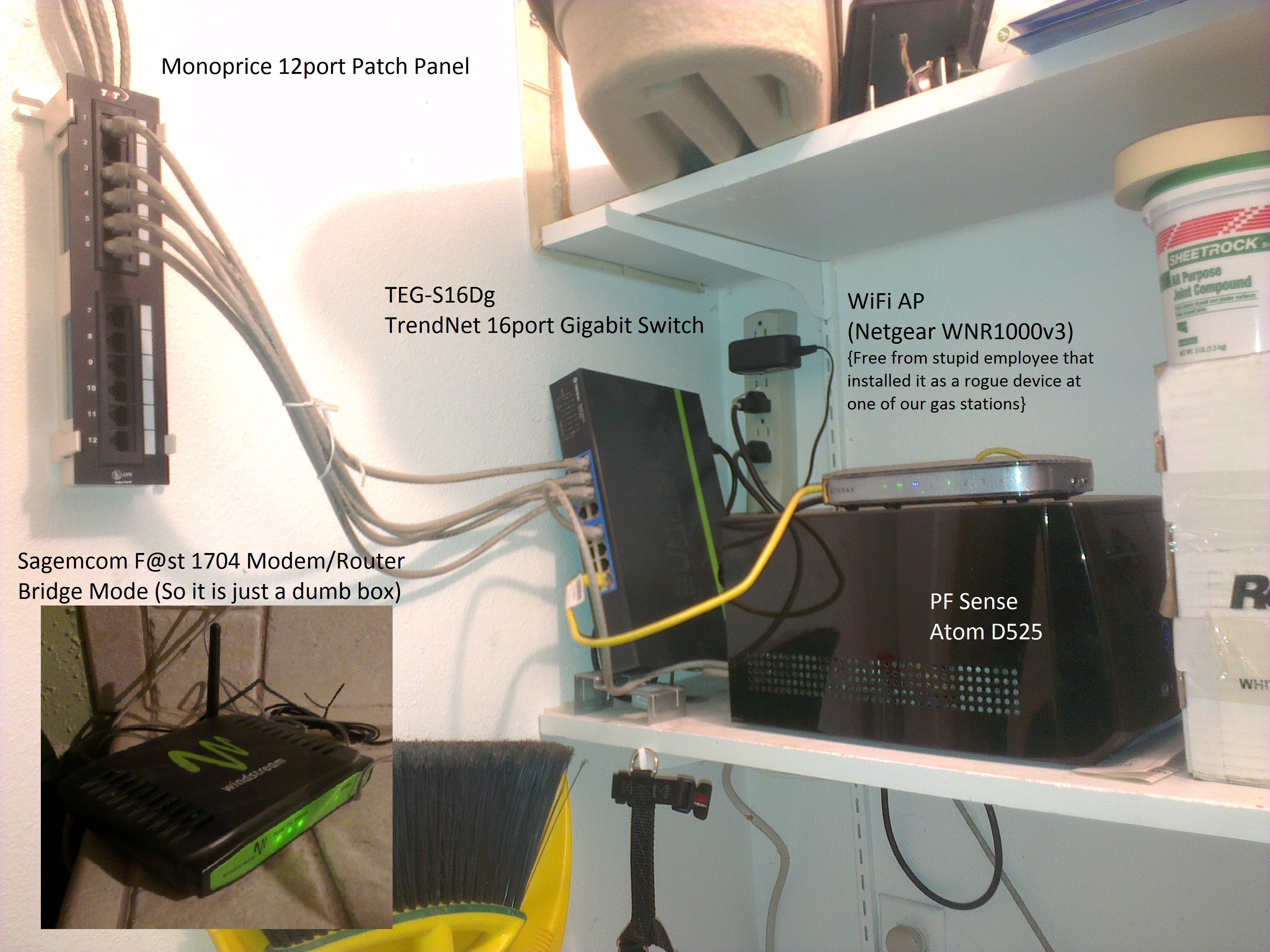
    LargeGeek's little network.
    My small yet effective network closet.