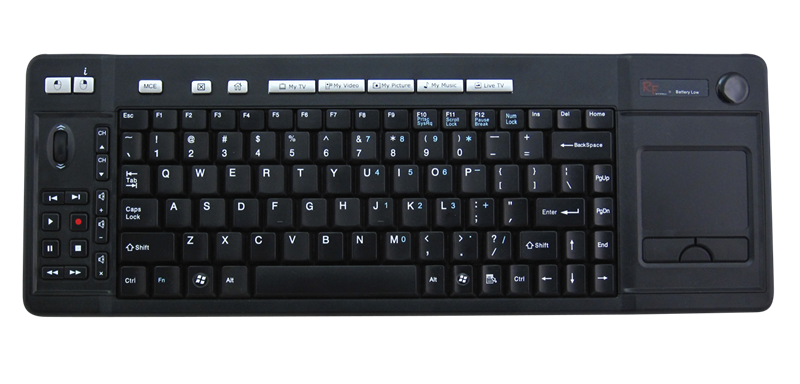
PC Perspective posted a link to a review at NeoSeeker of a few of Koribo’s products that intrigued me greatly. (more…)
PC Perspective posted a link to a review at NeoSeeker of a few of Koribo’s products that intrigued me greatly. (more…)
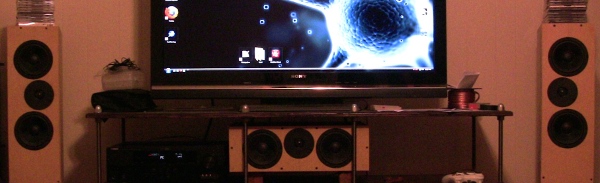
I finally got around to repairing damage left by un-updated gallery plug-ins and added a few Flexi-stand centric pics as well. The post can be found HERE.

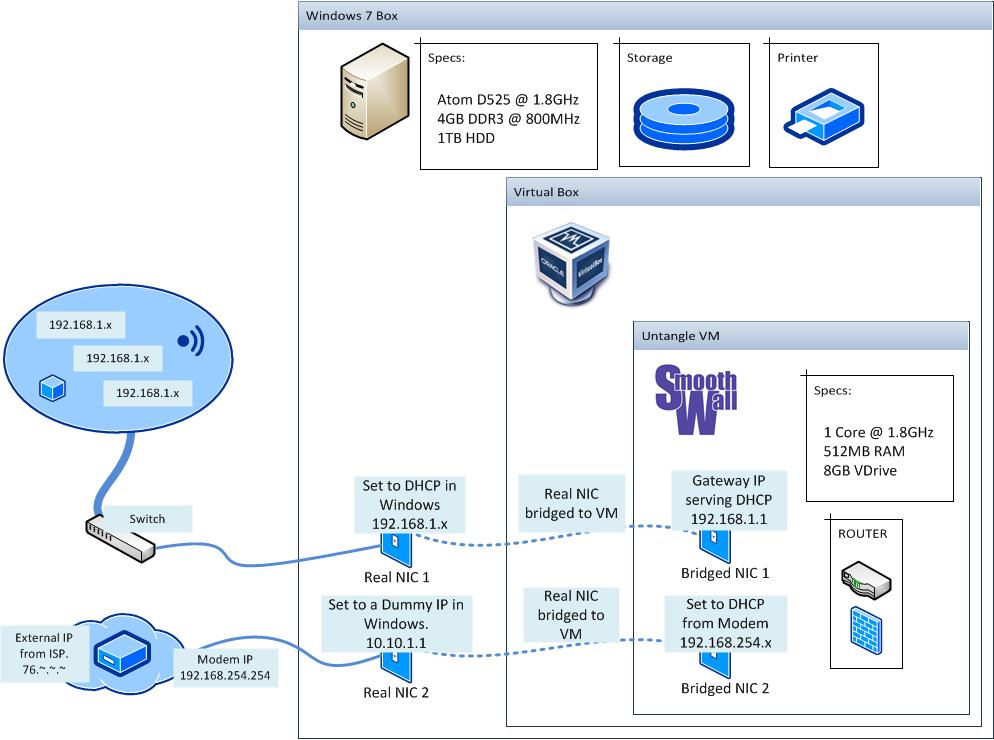
I recently decided to finally install a wired network in my house after suffering the faults of WiFi. I had considered buying a new WiFi router, but nearly every single router I looked at had its bad reviews. It was around this time I decided to wire up the place and caught a couple episodes of Hak 5 (718, 720) that tickled my fancy…Build my own router. The concept never made sense on my strictly wireless network, but everything came to a head at the same time and I was obsessed. I held off on completing my main rig by finally getting a real graphics card in order to complete this project without braking the bank.
After much experimentation and deliberating, I decided the easiest and most useful set-up (for me) would be a Windows 7 rig running the firewall OS in VirtualBox. All my PC’s run Windows 7, so it only makes sense for my server to run it. Why go through the hassle of getting Linux distro to play nice when a Win7 box will just work. And as for the firewall software, I decided on SmoothWall for now. I had originally tested Untangle, but could not get it running efficiently in a virtual machine.
The whole rig was purchased for just over $300 after shipping from NewEgg.com. This router will only have to support me and my brother on a regular basis and every now and then a guest’s computer or one that I am working on on the side. If I had it to do over, I might get a processor that explicitly supports visualization, but this gets the job done.
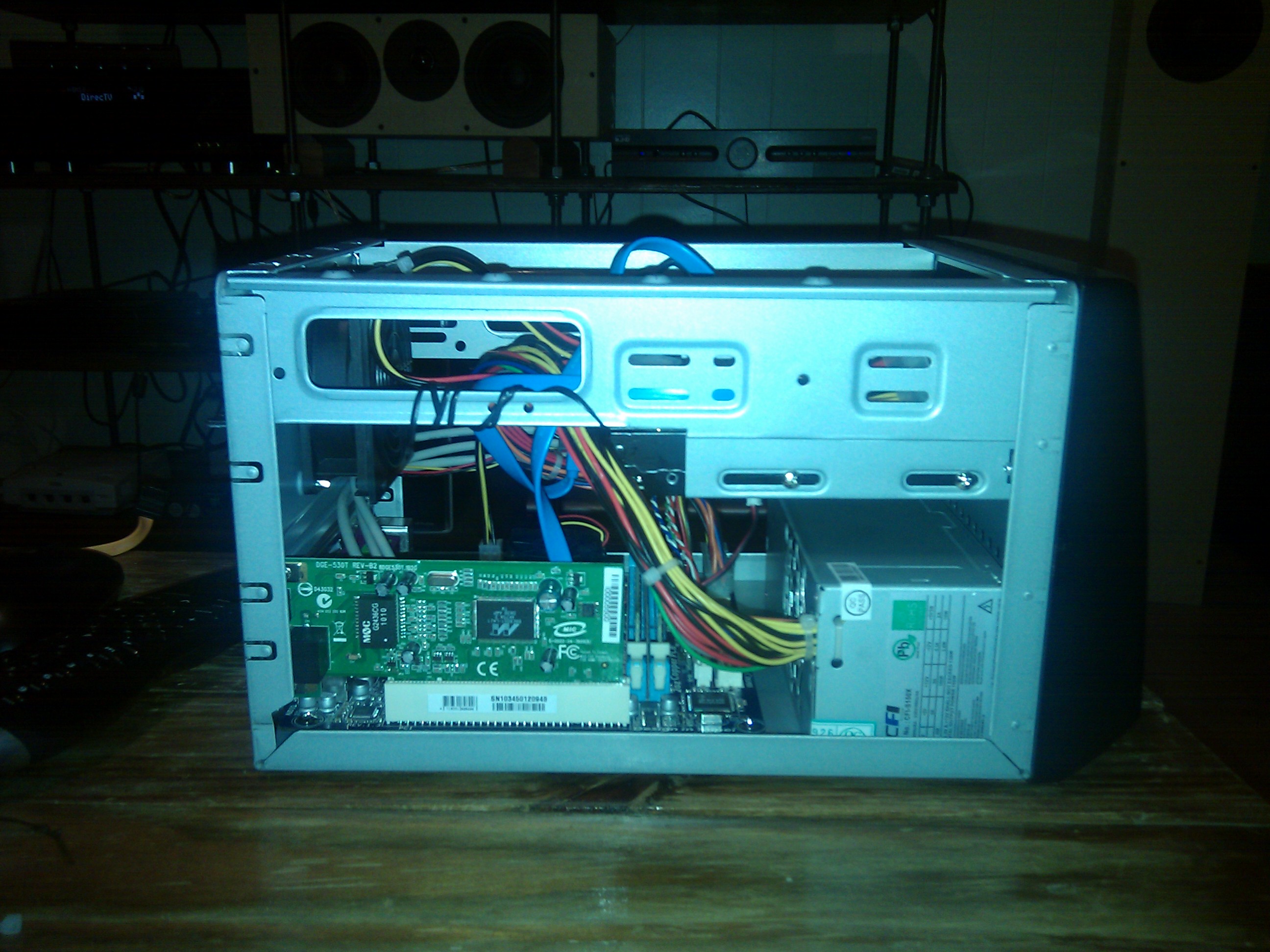
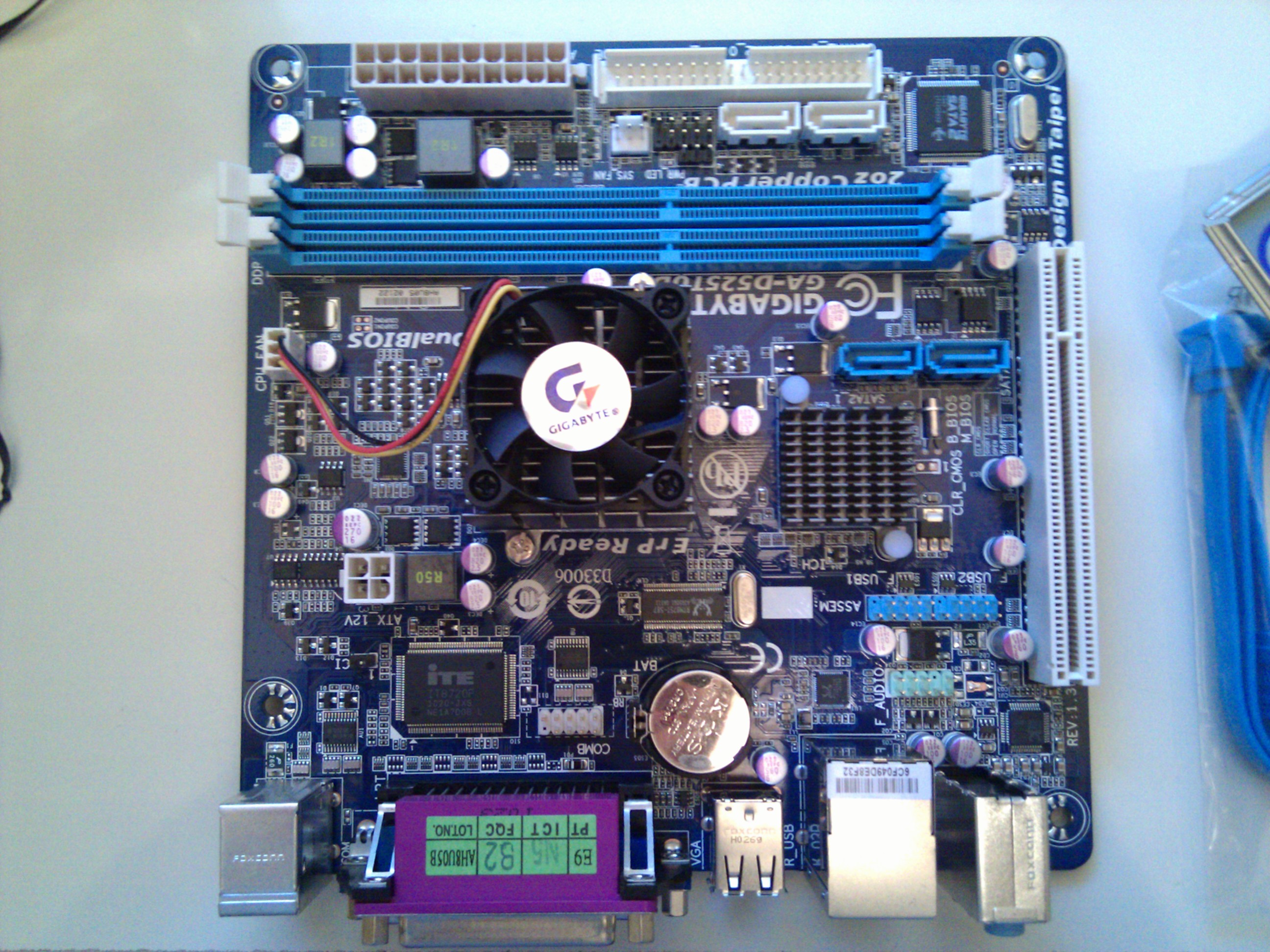
After much research on the overwhelmingly confusing topic of visualizing a firewall, I stumbled upon this incredibly helpful post. And after much experimenting, I finally managed to get SmoothWall running and routing while virtualized in Win7. My area of expertise is mainly in hardware and desktop support and any networking knowledge I posses is due to what I have had to learn to get by. Throw my lack of network experience in with trying to apply it to virtualization and bridged networks and you get a very frustrated geek. I should say that most of my frustration was with trying to optimize Untangle before I gave in and went with SmoothWall.
The trick was setting the dummy IP address on the RED NIC (network port that connects to the modem) in the host OS. It was a detail that kept overlooking in the link above. And was also something that I didn’t really see reference to on other similar tutorials. You then assign the GREEN NIC (network port that connects to the rest of your network) in the host OS to DHCP or the appropriate static IP.
After getting the firewall working, I did get the host OS onto my workgroup and sharing a storage folder. I even got VNC working after getting around some of the problems that it has on Win7. So now I can manage it headless. I also found a great little application for running Virtual Box VM’s as a service at boot-up that is dead simple to set-up and is working like a charm.
Yes! Now your mileage may vary, but I am seeing great speed and performance increases. My subscribed DSL speed is 6Mbps and really never had issues with getting that speed on my old Belkin router. I did however have problems that required my restarting it at least once an evening. Which was one of the factors driving this project. With the my new custom rig I am now seeing regular speeds of around 6.5Mbps and even see some steady 8Mbps speeds in some Steam downloads. These kinds of improvements might seem ridiculous, but I am not really surprised. I live in a small town and live just outside the city limits. And I can imagine that Windstream (my ISP) is pumping out a healthy signal to get as far out in the boonies as possible. There are also relatively few subscribers between me and town. So my more powerful router is just taking advantage of every bit it can. I have also not had to restart any part of the machine after the initial setup process and boot-up testing. So yes it was all worth it.
As you may or may not be aware of, Blizzard, the creators of World of Warcraft, have recently made available an in-game mount in the form of the Celestial Steed for the real world price of $25. This practice of charging real money for benefit in a virtual sense has become known as a “micro transaction”. Although $25 may not seem that micro to most people, it is in reference to the significance of the purchase not the actual dollar amount. There are many games/virtual worlds that rely entirely on micro-transactions for income. World of Warcraft, on the other hand, uses a subscription model and the purchase of game licenses. The idea of a micro-transaction like system implemented in WoW is one of the biggest fears of hardcore WoW players and many would rather see the game go away than see it succumb to the financial allure of the micro-transaction. While Blizzard has had a few purchasable pets and a few very rare items as bonuses in the trading card game, this purchasable mount is the closest Blizzard has ever come to a micro-transaction system. And the WoW community is all abuzz about it.
While I do not want WoW to become strictly dependent on micro-transactions, I think that a little is a good thing. The only guideline that Blizzard needs to follow is thus: Items purchased for real money can never allow a player to be more successful/powerful in-game. And the Celestial Steed fits this guideline perfectly. It is only as good as the best mount you have. It is really more of a “skin” for your mounts than anything. It is also available on all current and future characters on your account. Many of the WoW and game related podcasts and blogs that I consume have expressed a strong fear or out right hate for the idea of paying good money for in-game items as it is but a stones throw away from breaching the aforementioned guideline. In this particular case, a lot of the criticism is unfounded. I think that this item skirts the boundary so closely that the trigger happy out there are merely firing a verbal shot across Blizzard’s proverbial bow to keep them from going into the forbidden waters that is power for money. I understand their fear and hope that Blizzard is smart enough (read: not stupid enough to piss off their most loyal players, many of which own multiple accounts) and take that final controversial step into the micro-transaction world. As long as virtual items purchased for real world money remain strictly superficial, all should be well.
And on a more personal note…I am a sucker for mounts and hit the Blizzard store as soon as I could to buy me one of those winged equines.
PC Perspective recently had a post about ASUS’s forthcoming ATI Radeon 5870 based ARES cards. And I am excited!
Where the 5970 is essentially two 5850’s on one card, the ARES is two overclocked 5870’s on one card. WANT!
I recently picked my gaming addiction back up and decided a new desk-based rig was needed. My original gaming rig is now part of my home theater and I could only take the “lap desk” so long.
Rather than be at the mercy of OEMs, I have saved up and decided to build a custom system. My goal was to end up with a stable, yet powerful rig that has plenty of room for growth; and to not spend over $2000 when everything is said and done. What I ended up with cost me just under $1200:
Case: HSPC Top Deck Tech Station
–I actually bought this a couple months ago in preparation for this project. I wanted to wait until there is a selection of USB3.0 cases rather than locking myself into a 2.0 case and have to perform a reach around to take advantage of USB3.0.
CPU: Intel Core i7 920 (2.66GHz)
–Yes it is the slowest i7, but I didn’t want to run the risk of getting a mobo without the bios to recognize the nominally more expensive 930. And the 920 overclocks pretty well.
MOBO: Gigabyte GA-X58A-UD3R
–Future proof and highly expandable. USB 3.0, SATA 6G, SLi & Crossfire (I am an ATI man myself).
Memory: 6GB of RAM @ 1600MHz (OCZ OCZ3P1600LV6GKR)
–Gotta have it.
Storage: 750GB HDD – WD Caviar Black
–I will be starting this rig out using a run of the mill HDD, but as soon as SSD is a bit more standard (read cheaper) I will be putting this one on storage duty and using the SSD for boot and certain apps. I did get the ‘black’ so I will get as good of performance as I can for the price ($80). No Seagate fanboy mail please.
Optical: $23 DVD Burner
–While physical media is on its way out, we are not there yet. Will add a Blu-Ray Burner when the need arises or they get cheaper.
PSU: 850W Antec PSU – TPQ-850 850W RT
–More than enough power to get started and even get Crossfire running, and I got a deal on this one so am willing to upgrade in the future if need be.
Video: “GRAPHICS CARD” would be listed here if I had bought one…
–There is a war brewing right now with the imminent release of nVidia’s GTX 480 & 470 and I hope to either see ATI drop prices or announce that they have an ace in the hole to kick nVidia’s butt as the 480 is more than edging them out (even if it is a power pig). I will be using the nVidia GeForece 8500GT that was replaced by an Radeon 4870 in my old HP that is on home theater duty. I figure $800 (or less) for a couple 5870’s will put me right at my $2000 budget.
OS: Windows 7
–Picked up an OEM System builders copy. I have never had to contact Microsoft for support; which is the only thing you lose by going this route.
Anyway, there should be a plethora of posts about any and all of these items in the coming weeks. While I have replaced, upgraded, installed more of every part of a computer than I would like to remember…I have yet to actually build an entire one from the ground up. You might liken it to a mechanic who knows cars inside and out and replaced ever conceivable part on a million different vehicles, but has never worked in an assembly plant. Just because he hasn’t built one, doesn’t mean he doesn’t know what he’s doing.
There has been much lamenting and boo-hooing over the large electronics companies pushing 3D in their products for the coming years. I have heard complaints ranging from “those glasses make you look stupid”, to the more legitimate “it gives me headaches” and “I don’t want to buy a new TV”. I am one of the seemingly few that is actually excited about the possibility of 3D in my living room. As soon as there are a selection of 3D-HD projectors on the market I plan on adding one to my home theater. Admittedly, I am in a situation where I will not need to replace my TV, but am adding a device which I had been planning on adding anyway. The thing is though…no one said you HAVE to buy a new TV or wear those “stupid” glasses.
Regardless of how much content might become available, whether your need glasses, what technology those glasses use, or the extra costs involved over normal 2D consumption…3D should always be (and be thought of as) a(n) luxury/bonus/option. It will never and never should be, in my opinion, the “standard” way to view media. However, just because it is not the standard, does not mean we shouldn’t peruse industry standards where 3D is concerned. In fact, the recently decided 3D-Blu-Ray standards allow for the image to default to the regular 2D image when the player or monitor is not 3D compatible, therefore it is not trying to replace 2D. 3D is just another way to view the movie. The best comparison I can muster is this: You don’t NEED an expensive 5.1 sound system to watch that DVD you just bought, but there are standards in place and technologies available for those people that desire to use them. For those that don’t want or can’t afford the the fancy 5.1 system, there is the run-of-the-mill stereo track right there on that same DVD waiting for you to play it. I make the same argument for 3D; just replace “5.1” with “3D” and replace “stereo” with “2D” and you will see where I am coming from. No body complains about 5.1 audio, so why complain about 3D.
For those that want 3D, but can’t get over the glasses or truly get headaches from the technology, please wait for things to progress. These things take time and a degree of trial and error. We are a long way off from glasses-less 3D that is viable in the real world, so it is futile to complain about the glasses. In order for there to be enough demand for 3D for companies to progress the technology to that point, there needs to be content. For content makers to make that content, there needs to be a way for people to view it. The tech industry is going out on a limb and giving us that first way. There is already a decent wave of content on the way from 3D-Blu-Ray, Direct-TV, ESPN, Discovery, and others. I just hope the unnecessarily negative energy surrounding 3D doesn’t discourage the electronics companies from advancing the third dimension.
Boxee as you may or may not know is a media center program for PC’s & Apple TV. I have used Boxee on and off since they started inviting Windows users into the alpha. At CES this year, Boxee has unveiled the Boxee Box. The Boxee Box is a set-top box that runs, you guessed it, Boxee. Along with the release of the ‘Box, Boxee has pushed their software into beta and have finally won me over.
From the start, I wanted to love Boxee. It promised to make a lot of the internet content that I enjoy (Youtube, Revision 3, Twit.tv, etc.) much easier to access. However, it failed to deliver time after time. I eventually gave up on it and never thought to reinstall it after upgrading my computer to Windows 7. With the Boxee Alpha on Windows Vista I was plagued by frequent freezing, long access times (even to local media), and over all lag (even on my machine, details below). The apps were also very undependable and slow to update when providers changed offerings.
With the release of the Beta, I decided to give Boxee another round in the ring. And I have to say that I am impressed. I don’t know whether it is all the Beta or if Win7 is playing some part, but about 90% of my previous frustrations have been addressed. Boxee found all my local media with out my having to point it to every file over and over again. It seems like several of the content providers have decided to embrace Boxee as well. Revision 3 and IGN, to name a few, have well constructed and functional apps. And it all runs very smoothly. In fact it seems to run even better than Win7 Media Center, which will bring me to the main reason Boxee has won my praise…Netflix. More specifically, the performance of the Netflix interface.
Windows Media Center is the sole way that I have consumed my streaming Netflix content since replacing my Roku box with my HTPC and giving it to my cousin as a gift. Now the performance of the Netflix ‘app’ in Vista’s Media Center was a touch laggy, but bearable. For Win7, Netflix has changed the ‘app’. It is much cleaner and shinier and adds a lot of functionality. But I, like more than a few others, have experienced significant lag in the ‘app’. The most annoying of which is after selecting a movie to bring up it’s ‘page’, it can take an eternity to load. It also takes a very long time for items to load when changing between the different sub menus. From my searching for a solution to this problem, I have found that most of the blame may fall on Silverlight, which drives the entire ‘app’. I can’t complain at all about the video performance though. In fact, I actually have to say that the video performance is better in Media Center than in Boxee. The trade off is the Netflix menu in Boxee is so much faster than Media Center, that short of the potentially best looking movies, I see myself firing Boxee up first. Way to go Boxee.
A few technical specs for reference…| PC Specs: |
| Core 2 Duo @ 2.66 GHz w/ 1066MHz FSB |
| 4GB RAM |
| 750GB HDD |
| ATI Radeon 4870 PCI-E x16 Graphics Card w/ 512MB |
| OEM Supplied Internal USB WiFi adapter with modded external antenna |
| Network Specs: |
| DSL @ 6.0 Mbps Max |
| Belkin Wireless G Router |
Well I will be on my way home after visiting friends for New Years soon. I am actually posting this from the Super 8 lobby that I am staying at. After getting back to the daily drag I should start getting some tech content up.
I have been so excited about the coming tablet phenomenon that I could not wait and bought an Archos 5 Internet Tablet. So look for a few posts concerning it in the near future.